How to Assemble a Desk: Step-by-Step Guide for DIY Enthusiasts
Learn how to assemble a desk from flat-pack to finished workstation with clear instructions, essential tools, safety tips, and a printable checklist by Disasembl.


By following this guide, you will learn how to assemble desk from a flat-pack to a sturdy, usable workspace. You'll verify components, gather the right tools, and follow a clear, step-by-step sequence for precision, alignment, and safety. The process covers hardware check, panel orientation, connector installation, fastener tightening to spec, cable management, and final wobble checks to ensure long-lasting stability.
Tools, Materials, and Workspace Prep
According to Disasembl, successful desk assembly starts with careful planning and a clean workspace. Before you touch a single bolt, lay out all components on a soft surface to avoid scratches. Gather the tools you’ll need, and keep fasteners organized in labeled containers. A stable table, adequate lighting, and a comfortable height for standing or kneeling will reduce strain and mistakes. This preparation makes the actual build faster and more accurate, especially if you work in stages and verify each part as you go.
Pro tip: keep a small part tray at your workstation to prevent loss of tiny screws and washers. This initial prep reduces back-and-forth and helps you stay focused on alignment rather than hunting for parts.
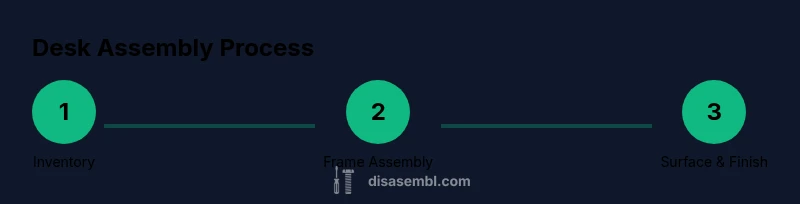
Part inventory and layout check
Unpack the desk kit and compare each part to the hardware list in the manual. Sort screws, bolts, brackets, and connectors into labeled piles. Confirm you have the correct desk top, frame sides, and any drawer runners before you start; mismatches are the top cause of misalignment later in the build. If a part is missing, set the kit aside and contact support rather than forcing a fit. A quick tally at this stage saves hours of trouble down the road.
Key strategy: perform a dry fit of major components without screws to visualize how pieces will align and where brackets will sit. This helps you spot orientation errors early.
Building the Desk Frame: Legs, rails, and supports
Begin by attaching the legs to the frame rails using the supplied screws and brackets. Use a clamp to hold pieces in position as you insert fasteners. Check that the frame sits square by measuring diagonally from corner to corner; adjust if necessary before tightening all fasteners to the recommended torque. If your kit includes cross-braces, install them next to improve rigidity and prevent wobble during surface mounting.
Pro tip: tighten fasteners gradually in a star pattern (opposite corners) to distribute pressure evenly and reduce frame skew.
Attaching the Desk Surface and Brackets
With the frame stable, position the desk surface (top panel) onto the frame. Align any pre-drilled holes with the bracket hardware and secure with screws. If your kit uses brackets or edge fasteners, insert them evenly and avoid overtightening to prevent warping. Support the panel from underneath as you begin fastening so gravity helps seating rather than pulling the panel out of square.
Pro tip: use a scrap block under the top panel during initial screw insertion to prevent marring the surface.
Integrating Drawers, Cable Management, and Accessories
Install any drawers or shelves according to the included guides. Attach cable management grommets or channels where needed, and plan routes for power cords. Verify that drawers slide smoothly and do not bind against vertical supports; adjust rails as needed. If your desk includes a keyboard tray or monitor arm, ensure mounting points align with the desk edge and support weight without tipping the desk.
Pro tip: lay out cords with slack to avoid pinch points and keep power strips off the floor to reduce tripping hazards.
Final Assembly: Alignment, Leveling, and Tightening
Place a spirit level on the desk surface and check for even height across the front edge. If the desk wobbles, tighten fasteners in a star or criss-cross pattern starting from the corners. Recheck alignment after each tightening pass and test with everyday items to confirm stability. Finally, check that all panels sit flush and the edges are square with the desk surface for a clean, professional look.
Pro tip: after final tightening, gently tap corners with a mallet to settle any slight misalignments.
Safety, Maintenance, and Longevity Tips
Wear eye protection when drilling or tightening, and keep tools away from children. Use the correct screwdriver bit size to avoid cam-out. Periodically tighten all fasteners after moving or carrying the desk to preserve rigidity. Clean the surface with a mild, non-abrasive cleaner and avoid sharp impacts that could dent the finish. Regularly inspect cable routes to prevent wear at entry points and edge damage from chair movement.
Note: store spare screws and brackets in a labeled container so you can reassemble or relocate without losing hardware.
Troubleshooting Common Issues
If panels don’t align, recheck orientation and part numbers; consult the manual or Disasembl guide for compatibility notes. For creaking sounds, ensure screws are evenly tightened and the surface is on a level plane. If the desk still wobbles, add shims under the shorter leg and verify that the floor beneath is flat. Double-check that you followed the recommended sequence for bracket placement.
Warning: never force misaligned parts; forcing can strip threads and compromise safety.
Quick-Start Checklist for Beginners
- Inventory and layout complete
- Frame assembled and square
- Surface attached and secured
- Drawers and cable management added
- Desk leveled and wobble-free
- Safety checks performed
- Cleanup of tools and workspace before testing
Following this checklist helps beginners stay organized and reduces the chance of missing a critical step.
Glossary: Key Terms You’ll Use
Dry-fit: trying parts together without final fastening to check fit. Torque: the recommended tightness for screws. Criss-cross: a tightening pattern to ensure even compression. Grommet: a hole cover for cables. Level: a tool to ensure a flat, even surface. Shim: a thin piece used to adjust height or level. Bracket: a metal connector that attaches panels; ensures alignment.
Tools & Materials
- Allen/hex keys (set of metric and standard sizes)(Include both Allen and star sockets for various fasteners)
- Screwdrivers (Phillips and flathead)(Keep one medium and one long-shaft blade)
- Hammer or rubber mallet(For gentle tapping without damage)
- Power drill/driver with bit set(Use drill bits suitable for metal and wood)
- Measuring tape(At least 6-8 feet long)
- Spirit level(Ensure desk is perfectly flat)
- Clamps (2-4)(Hold pieces while fastening)
- Pencil or marker(Mark drilling points and alignments)
- Utility knife(Trim packaging and adjust edge lines)
- Safety glasses(Protect eyes during drilling and cutting)
- Screws, bolts, and washers compatible with desk kit(Keep extras in labeled containers)
- Cable grommets and cord organizers (optional)(For neat cable management)
- Non-slip pads or feet (optional)(Stabilize desk on smooth floors)
Steps
Estimated time: 60-90 minutes
- 1
Inventory and prep parts
Unpack all components and verify each item against the hardware list. Sort fasteners by type and set up a clean workspace. Dry-fit major pieces to visualize the build and minimize backtracking later.
Tip: Label bins and keep small parts separate to prevent loss. - 2
Attach legs to frame rails
Position the legs on the rails and loosely thread screws to allow for alignment. Use clamps to hold pieces steady while you insert fasteners. Check frame squareness before final tightening.
Tip: Tighten in a star pattern to avoid skew. - 3
Assemble the frame further
Connect any middle rails and cross-braces as specified by the manual. Ensure all joints sit flush and that the frame sits evenly on the work surface. Tighten bolts gradually to spec.
Tip: Verify diagonal measurements are equal for a square frame. - 4
Attach the desk surface
Carefully place the top panel onto the frame and align pre-drilled holes with brackets. Secure with screws, avoiding overtightening that could warp the panel.
Tip: Support the surface from below during initial screws. - 5
Install drawers and cable hardware
Mount any drawer slides or runners first, then install the desk surface attachments. Add cable grommets and channels where needed, routing cords neatly.
Tip: Test drawer movement before final tightening. - 6
Level and finalize fasteners
Place a level on the desk and adjust legs if needed. Tighten fasteners in a criss-cross order after leveling to lock in position.
Tip: Do not rush; a little adjustment goes a long way. - 7
Safety checks and cleanup
Inspect for sharp edges and loose parts. Clear debris, reconnect any power tools, and store spare parts properly.
Tip: Wear safety glasses during final checks. - 8
Test in real use
Place common items on the desk and test stability during typical tasks like typing and document handling. Address any wobble or alignment issues promptly.
Tip: Revisit steps 2 and 6 if wobble persists.
Got Questions?
What tools do I need to assemble a desk?
A basic toolkit includes hex keys, screwdrivers, a drill, a level, and a measuring tape. Always refer to your desk kit's hardware list.
You'll need hex keys, screwdrivers, a drill, a level, and a measuring tape.
How long does it take to assemble a standard desk?
Most desks take between 60 and 90 minutes, depending on complexity and drawers.
Most desks take about an hour to an hour and a half.
What should I do if a panel won’t align?
Double-check orientation, confirm screw type, loosen neighboring fasteners, and align edges before tightening.
If panels won't line up, back off slightly and align before re-tightening.
Can I disassemble a desk later?
Yes. Keep all hardware, take photos of connections, and reverse steps in order.
You can take it apart again by following the steps in reverse.
Are there safety tips I should follow?
Wear safety glasses, unplug power tools, work on a stable surface, and follow torque recommendations.
Always use safety gear and follow tool instructions.
What if hardware is missing or damaged?
Contact the manufacturer or substitute with compatible parts only as a last resort; avoid forcing components.
If parts are missing, stop and contact support.
Watch Video
What to Remember
- Verify parts and tools before starting.
- Follow the step sequence to prevent misalignment.
- Level the desk before final tightening.
- Cable management improves longevity and safety.
- Keep hardware organized for easy future disassembly.