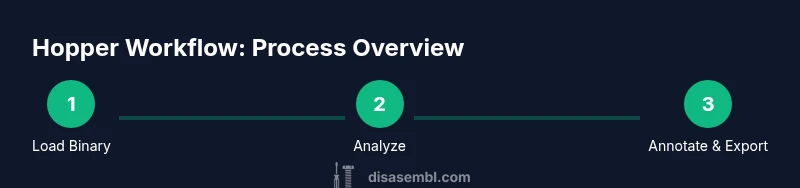
How to Use Hopper Disassembler: Practical Guide 2026
Learn how to use Hopper Disassembler to analyze binaries with structured workflows. This educational guide covers setup, loading files, navigating views, performing basic analysis, and exporting findings. Includes tips, safety notes, and authoritative references for responsible reverse engineering.


Master Hopper Disassembler by following a practical, end-to-end workflow. You will learn how to set up a project, load a binary, navigate the control flow graph, and switch between assembly, decompiled views, and data references. This quick guide also covers essential prerequisites and safety notes before you begin analysis. By the end you should be able to reproduce a basic function boundary and identify obvious control structures.
Why Hopper Disassembler is a Strong Choice for Binary Analysis
Hopper Disassembler has established itself as a practical tool for reverse engineering and binary analysis. Its combination of a traditional disassembly view, an interactive decompiler, and navigation aids makes it a natural fit for hobbyists and professionals alike. According to Disasembl, Hopper shines when you need to quickly map out function boundaries, identify call graphs, and annotate findings in a single project. The interface emphasizes clarity: you can switch between assembly, pseudo-C output, and high-level graph representations without losing context. For learners, Hopper avoids some of the conceptual friction seen in heavier toolchains, offering guided workflows, search features, and on-screen hints that help you stay oriented in a foreign binary. The tool supports multiple architectures and file formats, which is essential when you encounter unfamiliar binaries from embedded devices or cross-platform software. Overall, Hopper provides a balanced blend of automation and manual control, which enables you to practice reasoning about machine code while keeping focus on the task at hand. This makes it a reliable starting point for structured, reproducible analysis.
Tools & Materials
- Hopper Disassembler (license or trial)(Install the latest version from the official site and activate a license or start a trial.)
- A computer capable of running Hopper (macOS or Linux)(Ensure OS version supports Hopper; updated GPU not required.)
- Target binary (Mach-O, ELF, or PE)(Have permission to analyze and ensure legality.)
- Internet connection (for activation and updates)(Optional if you already have the offline license.)
- Notes app or document editor(Optional for annotation and export.)
Steps
Estimated time: 60-90 minutes
- 1
Prepare your workspace
Set up a dedicated folder for your Hopper project, with clear naming and version control for notes. This reduces confusion when you review results later and helps you reproduce findings. Make sure your environment is free from unrelated projects to minimize distractions.
Tip: Create a README in the project folder describing goals and scope before you start. - 2
Install Hopper and activate license
Download the latest version from the official site and install it on your system. Activate your license or start a trial to unlock features such as the decompiler and graph view. Verify that the activation completes successfully before moving forward.
Tip: Check for any platform-specific prerequisites (e.g., library dependencies) in the install guide. - 3
Launch Hopper and sign in
Open Hopper, sign in if required, and configure your default workspace. This step ensures your settings persist across sessions and that you can quickly access recent projects. Consider enabling auto-save for safety.
Tip: Enable workspace auto-save to prevent data loss during long analyses. - 4
Create a new project and add the binary
In Hopper, create a new project with a descriptive name. Then add the target binary (Mach-O, ELF, or PE) to the project. Hopper will start initial analysis, including disassembly and function detection.
Tip: Name the project to reflect the binary’s purpose or source. - 5
Run initial analysis and adjust options
Let Hopper perform automatic analysis. If the binary is stripped or lacks symbols, enable options like symbol recovery and function boundary hints to improve discovery. Review results to ensure accuracy before proceeding.
Tip: Enable both symbol recovery and function boundary hints for better results. - 6
Explore the assembly and decompiler views
Switch between assembly and decompiler views to compare low-level instructions with higher-level representations. This helps you sanity-check logic and identify data flow more quickly.
Tip: Use side-by-side views to maintain context across representations. - 7
Identify function boundaries and calls
Use the function list and cross-reference indicators to locate function boundaries and call relationships. Label functions with meaningful names to build a readable map of the binary.
Tip: Label at least the main entry points to create a navigable map. - 8
Analyze control flow with Graph view
Open Graph view to visualize basic blocks and transitions. Look for loops, branches, and tail calls. Use filters to focus on hot paths and skip dead code during initial analysis.
Tip: Color-code branches by likelihood to quickly spot critical paths. - 9
Annotate findings and plan verification
Add comments and notes to important blocks, calls, and data references. Plan follow-up verification by cross-checking with references from strings, imports/exports, and data sections.
Tip: Maintain a glossary of terms used in annotations for consistency. - 10
Export results for sharing
Export your annotations, graphs, and findings to share with teammates or for later review. Use Hopper’s export features to create portable artifacts that support your conclusions.
Tip: Include a brief narrative summary with exports for easier onboarding. - 11
Document a brief post-analysis report
Summarize the objective, key findings, and next steps in a concise report. This reinforces learning and provides a reference for future projects.
Tip: Keep a template ready for quick, consistent reporting. - 12
Wrap up and reflect on the workflow
Close the project by cleaning up temporary files, backing up work, and noting what you would improve next time. A structured wrap-up solidifies your understanding and promotes repeatable results.
Tip: Archive the project with a dated folder to track progress over time.
Got Questions?
What is Hopper Disassembler best used for?
Hopper is a reverse engineering tool that disassembles binaries and provides a decompiler, graph views, and cross-reference insights. It helps you understand program structure, functions, and data flow.
Hopper helps you understand how a program works by turning machine code into readable views and graphs.
Do I need programming experience to use Hopper?
Some familiarity with assembly language and basic software concepts helps, but Hopper provides guided workflows and visual aids that support beginners while still serving experts.
A little assembly knowledge helps, but Hopper’s guides and visuals support learners from basics onward.
What platforms does Hopper support?
Hopper runs on macOS and Linux. Check the official site for the latest compatibility details and any platform-specific notes.
Hopper works on macOS and Linux; verify compatibility for your setup.
What file formats can Hopper analyze?
Hopper supports common binary formats such as Mach-O, ELF, and PE. It can analyze 32-bit and 64-bit variants depending on the binary.
It handles Mach-O, ELF, and PE binaries in both 32- and 64-bit forms.
Are there safety or legal considerations?
Reverse engineering has legal and ethical considerations. Only analyze binaries you own or have explicit permission to study, and follow local laws and policies.
Make sure you have permission and follow the law when reverse engineering binaries.
Can I export Hopper findings?
Yes, Hopper allows exporting annotations, graphs, and notes to share with teammates or for archival purposes.
Exports let you share your results and keep a record for future work.
Watch Video
What to Remember
- Use a structured Hopper workflow for reproducible results
- Leverage multiple views (assembly, decompiler, graph) for context
- Label and comment to build a readable map of the binary
- Verify decompiler output with raw disassembly
- Document findings and export for collaboration