Is It Cheaper to Assemble Your Own PC? A Practical Comparison
Analytical guide comparing DIY PC builds vs prebuilt options, outlining cost factors, budgeting tips, and scenarios to help you decide where to invest time or money.


Is it cheaper to assemble your own PC? In most cases, yes, DIY builds save money when you price out parts individually and avoid labor charges. The savings depend on sales, part compatibility, and how you value your time and warranty coverage. For some buyers, a carefully chosen prebuilt or refurbished system can rival a DIY build on price and risk.
Why the question matters
For DIY enthusiasts, the core question isn't simply which option costs less upfront. It's about value, risk, and future-proofing. According to Disasembl, cost savings hinge on smart part selection, the timing of sales, and the ability to repurpose components from older systems. The Disasembl team found that the biggest savings tend to come from balancing price-per-performance with careful budgeting and avoiding unnecessary add-ons. This page dives into the cost dynamics behind assembling your own PC and compares it with ready-made options, so you can make an informed choice in 2026.
Key cost factors you must account for
When you assemble a PC, you pay for each component, plus ancillary costs. Major cost factors include: the motherboard, processor, graphics card or integrated GPU, memory, storage, case, power supply, cooling, and operating system. Don’t overlook: thermal solutions, cables, expansion cards, and drivers. Shipping, taxes, and potential rebates also affect final price. If you recycle components from an older build, you can push the price down further. Disasembl’s practical method is to list every needed part, compare prices across retailers, and track price trends to time purchases for maximum value.
How to estimate total cost: DIY vs prebuilt
A robust budgeting approach compares the total cost of ownership for a DIY build against a prebuilt system. Start by listing all required parts for the DIY route, including any peripherals you’ll reuse. Then add potential costs: OS license, warranty considerations, and assembly time. For a prebuilt, estimate the price with warranty and support included. A critical step is to estimate future upgrades and energy costs. The goal is to derive a realistic total cost over a typical lifecycle rather than just the sticker price. Disasembl recommends computing price-per-performance, factoring in upgrade pathways and potential resale value when evaluating long-term cost.
The impact of component prices and timing
Component prices swing with demand, stock, and market conditions. A GPU shortage or a CPU price drop can shift the balance between a DIY build and a prebuilt. In practice, savvy buyers monitor sales cycles, use price-mred tools, and exploit bundles or rebates. Timing matters: mid-cycle sales can unlock significant savings on CPUs, motherboards, and memory, while storage tends to follow more predictable pricing. The Disasembl analysis shows that staying flexible on brand and model to chase deals often yields the best value, even if it complicates the build process.
Warranty, support, and risk management
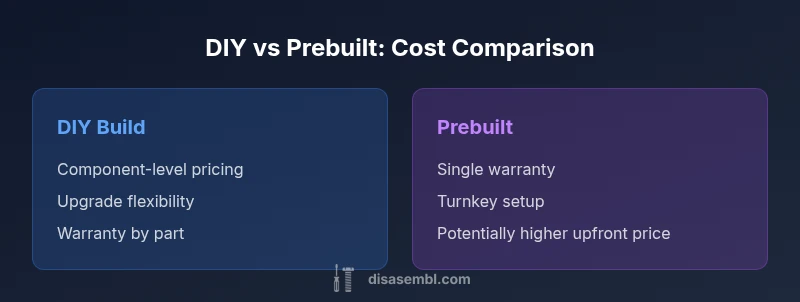
Warranties are a critical consideration. DIY builds rely on component warranties rather than a single system warranty, which can complicate support if issues arise. You’re responsible for diagnosing compatibility issues and ensuring stable software support. Prebuilt systems typically offer a single warranty and vendor support, which can save time and reduce risk, albeit at a premium. To minimize risk, choose components with solid return policies, documented compatibility, and a well-reviewed power supply. Disasembl notes that warranty coverage can tilt the scale toward prebuilt for risk-averse buyers, especially for first-time builders.
Upgrade potential and resale value
Upgradeability is a strong argument for DIY builds. When you pick standard components, upgrading a RAM module, storage drive, or GPU can extend the system’s useful life without buying a new machine. Prebuilt systems often use proprietary BIOS settings or non-standard configurations that complicate upgrades. If you anticipate frequent upgrades, a DIY build provides more control over future-proofing. However, consider whether the expected upgrade path will still be cost-effective after warranties and labor costs are considered. The Disasembl approach emphasizes designing for upgradeability from the outset as a core cost-control tactic.
Real-world budgeting scenarios: budget, mid-range, and high-end
Budget builds (roughly $300–$700 components): DIY bargains shine when you inherit or source salvaged parts, focus on balanced performance, and avoid unnecessary extras. Mid-range builds ($700–$1500): this is where price-per-performance optimization becomes meaningful; you can tailor cooling, storage, and GPU to stretch value. High-end builds ($1500+): the DIY route often yields the strongest cost advantage if you secure premium parts on sale and avoid bundled extras. In all cases, the keys are sales timing, price transparency, and a clear upgrade plan. Disasembl’s guidance: plan around performance targets first, then optimize for cost without compromising reliability.
Practical budgeting checklist
- List all required components and peripherals.
- Set a target performance tier and identify the exact parts that meet it.
- Track prices across retailers and watch for bundles or rebates.
- Include shipping, taxes, and potential restocking fees.
- Decide on a warranty strategy (part warranties vs system warranty).
- Plan upgrades over time to maximize value and minimize total cost.
- Document compatibility checks early to avoid last-minute replacements.
Case study: hypothetical build cost breakdown
Consider a mid-range build intended for 1080p–1440p gaming and productivity. The DIY route might include a CPU, motherboard, memory, storage, GPU, case, PSU, cooler, OS, and peripherals sourced over several weeks of shopping. A prebuilt system in the same performance tier would bundle most components with a system warranty and vendor support. In this hypothetical scenario, the DIY approach can undercut the prebuilt price when deals are favorable and no unnecessary add-ons are purchased. The focus is on selecting price-per-performance parts and timing purchases to maximize savings, while ensuring stable operation and a reasonable upgrade path. The aim is value, not simply the lowest headline price.
The bottom line: balancing budget, risk, and goals
If you enjoy the hands-on process and have time to monitor sales, assembling your own PC often delivers better value. However, if you prize convenience, a single warranty, and fast delivery, a prebuilt solution can be the smarter choice. The decision hinges on your tolerance for risk, the availability of sales, and how you value upgrade potential. Disasembl’s framework emphasizes clarity of goals, meticulous budgeting, and disciplined purchasing as the core steps to achieving cost efficiency.
Comparison
| Feature | DIY PC Build | Prebuilt PC |
|---|---|---|
| Initial cost range | $300-2000+ | $500-2500+ |
| Upgrade flexibility | Excellent | Moderate to limited |
| Warranty coverage | Part warranties on components | System warranty often 1-3 years |
| Time to assemble | 1-4 hours depending on experience | Ready to use on delivery |
| Support options | Community forums, DIY resources | Vendor support and service |
| Total cost of ownership (lifecycle) | Highly variable; can be lower with smart purchases | Lower upfront risk; value depends on warranty terms |
| Reliability risk | Depends on parts chosen; user skill matters | Generally lower initial risk due to tested configurations |
Benefits
- Greater control over part selection and price-per-performance
- Potential labor cost savings and customization
- Easier upgrades and targeted performance improvements
- Opportunity to source bargains during sales or repurpose old parts
Drawbacks
- Requires time, research, and technical skill
- Higher risk of compatibility issues if parts are mismatched
- Warranty management is fragmented across components
- Potential hidden costs from mistakes or failed builds
DIY builds typically offer better value when you shop smart and accept the build process as part of the project
In most scenarios, assembling your own PC yields cost advantages through component-level optimization and careful budgeting. Prebuilt systems win on convenience and warranty coverage, especially for time-constrained buyers. The right choice depends on your tolerance for risk, time, and upgrade plans.
Got Questions?
Is it always cheaper to assemble your own PC?
Not always. DIY can be cheaper when you source parts on sale and avoid labor costs, but timing, compatibility, and the value you place on time and warranties can tilt the balance toward a prebuilt in some cases.
DIY is usually cheaper if you find good deals and value your time less than the convenience of a ready-made system.
What costs should I include beyond components?
Include the operating system, peripherals, case, PSU, cooling, software licenses, potential shipping and taxes, and any restocking fees. Don’t forget assembly time and potential upgrades.
Think about OS, peripherals, shipping, taxes, and future upgrades when budgeting.
How long does it take to build a PC from scratch?
A typical DIY build can take from one to several hours, depending on your experience and how carefully you plan parts compatibility and cable management.
Most builders expect a few hours, but it can take longer for first-timers.
What are the biggest risks of building a PC yourself?
Common risks include incompatibility, static damage, misconfigured BIOS settings, and harder troubleshooting. Proper research reduces these risks.
Watch for compatibility checks and proper anti-static practices.
Is buying used components a good idea for a DIY build?
Used components can save money if you thoroughly inspect them, test for reliability, and buy from reputable sources. Avoid high-risk parts like GPUs with unknown histories.
Used parts can save money but check reliability and return policies.
When is a prebuilt PC a better value?
Prebuilt systems are often better when you need a turnkey solution, want a single warranty, or lack the time to assemble and troubleshoot a DIY build.
If you want fast setup and solid warranty, consider a prebuilt.
What to Remember
- Start with a clear performance target and budget.
- Shop sales and compare price-per-performance across parts.
- Factor in warranties and upgrade paths when calculating value.
- DIY saves time if you have a methodical budgeting process and patience.
- Consider a prebuilt when time, warranty, or risk avoidance matters more.