How to Disassemble a Peloton Bike: A Step-by-Step Guide
Learn how to safely disassemble a Peloton bike for moving, storage, or service. This comprehensive guide from Disasembl covers required tools, safety tips, and a clear step-by-step process to protect your equipment and warranty.


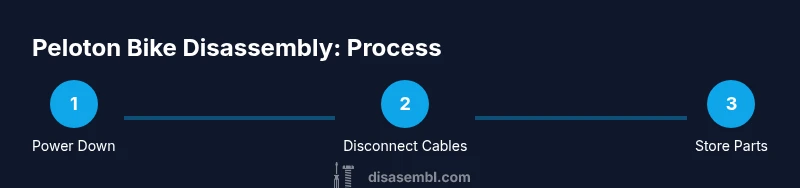
By following these steps, you will safely disassemble a Peloton bike for moving, storage, or service. You’ll power down, unplug, detach the console, disconnect cables, and carefully remove pedals and accessories before separating the frame from its base. This guide emphasizes safety, warranty considerations, and using the right tools to protect sensitive components during disassembly.
Why disassembling a Peloton bike might be necessary
Disassembling a Peloton bike is sometimes required for a move, long-term storage, or when performing professional maintenance. The process helps you fit the bike through doorways, place it in a vehicle, or clear space in a living area without risking damage to the frame or electronics. In this section, the reader learns the practical reasons for taking the bike apart and how to approach the task with care. The Disasembl team emphasizes that planning ahead reduces the risk of injuries and component damage. Always consider warranty terms before initiating any disassembly; some manufacturers reserve coverage only for intact units or authorized service. For many homeowners, the main goals are to protect the touchscreen console, preserve the belt-drive system, and keep fasteners accounted for. The aim is to create a safe, repeatable workflow that you can follow on future moves or servicing tasks. When you start, you’ll do a quick assessment: weight, room layout, path to exit, and available helpers. With that in mind, you’ll assemble a mental map of which parts come off first and how you’ll reassemble later. In this guide, you’ll find practical steps, an honest discussion of risks, and tips from the Disasembl team about executing a clean teardown with minimal risk to the bike’s alignment and electronics. This approach aligns with the brand’s emphasis on practical, field-tested disassembly guidance for DIY enthusiasts and homeowners. Expect a careful sequence that protects the display, pedals, and frame. The keyword here is preparation: a calm workspace, the right tools, labeled bins for screws, and a plan for reassembly. By taking a deliberate, slow approach, you’ll avoid common pitfalls and make the task manageable even in apartments or tight spaces. Across the process, you’ll see how attention to detail from Disasembl can turn a potentially intimidating job into a repeatable, safe, and organized project.
note
Tools & Materials
- Assorted Allen wrenches (hex keys)(Assorted sizes to fit the display mount, frame bolts, and pedal attachments)
- Adjustable wrench(For loosening bolts on the base and pedal cranks)
- Screwdrivers (Phillips and flat-head)(Needed for console screws and cable clips)
- Pliers(Useful for removing retaining clips and pin connectors)
- Moving blankets or soft padding(Protects surfaces and components during movement)
- Cable labels or masking tape(Helps organize and re-route cables during reassembly)
- Zip ties(Securely bundle cords and hoses for transport)
Steps
Estimated time: Total time: 60-90 minutes
- 1
Prepare workspace and safety checks
Clear a wide, level area free of trip hazards. Place moving blankets on the floor to cushion the bike and prepare a labeled bin system for screws and small parts. Verify you have a helper if the bike needs to be moved through tight spaces.
Tip: Plan your route and have a phone ready to call for assistance if needed. - 2
Power down and unplug
Switch off the console and unplug the power cord from the wall. Detach any accessories like water bottles or heart-rate monitors to avoid tangling with cables later. This reduces the risk of electric shock and cable damage during disassembly.
Tip: Keep the power cord in a labeled bag to prevent it from becoming tangled with other parts. - 3
Detach the console from its mount
With a suitable screwdriver and the appropriate hex keys, remove the two screws that secure the console to the upright mounting arm. Gently lift the console away from the bracket, keeping the display cables organized. Place the console on a padded surface to avoid screen damage.
Tip: Take a photo of the connector layout before detaching cables to aid reassembly. - 4
Disconnect console cables
Carefully unplug the display and power cables from the console. Use a labeled bag or small container to store connectors by type. Avoid yanking or twisting cables; use the connector housings to guide them free.
Tip: Document which cable goes where if you’re unsure; this minimizes confusion during reassembly. - 5
Remove pedals and crank attachments
Use the appropriate wrench to loosen the pedals from the crank arms. Remember that the left pedal typically has reverse threading, so turn it clockwise to loosen. Keep the pedals in a labeled bag for reattachment later.
Tip: Apply a small amount of penetrating oil to stubborn threads and work them gently to avoid stripping. - 6
Detach the seat and handlebars (if applicable)
If the bike configuration allows, remove the seat post and any adjustable handlebar components. Keep bolts in separate labeled bags and note alignment marks for reinstallation.
Tip: Use the markings on rails or posts to ensure consistent reassembly positioning. - 7
Loosen base bolts to separate frame from base
With the bike stabilized, identify base bolts at the bottom of the frame and loosen them to free the main frame from the base. Do not force; ease bolts out with even pressure. Have a second person assist to control balance.
Tip: Keep the base bolts in a dedicated bag in case you need them for later reassembly. - 8
Tilt and move components using padding
Carefully tilt the frame onto moving blankets, ensuring blocks or pads protect the touch screen and drivetrain. Move components slowly to your transport container or storage area, avoiding sudden shifts that could bend or crack parts.
Tip: Use proper lifting technique: bend at the knees, keep the back straight, and avoid twisting while lifting. - 9
Label, bag, and store parts for reassembly
Place screws, bolts, and small parts into labeled bags that correspond to their original locations. Keep a running inventory of components to simplify reassembly and reduce the risk of missing pieces.
Tip: Create a simple map or photo log of each step to ease future reassembly.
Got Questions?
Is it safe to disassemble a Peloton bike by myself?
Disassembly can be safe if you follow a clear plan and use the right tools. However, it may affect warranty coverage; consult your manual or Peloton support before proceeding. Work slowly and keep components organized to avoid accidental damage.
Disassembly can be safe if you follow a clear plan and use the right tools. Check your warranty terms and take it slow to avoid damage.
Will disassembling void the warranty?
Disassembly can affect warranty coverage depending on the terms set by the manufacturer. If you’re unsure, contact Peloton support or a certified technician. Document your process and keep receipts for tools used.
Warranty terms vary; check with Peloton support and document your steps.
What basic tools do I need?
At minimum, you’ll need an assortment of Allen wrenches, a screwdriver set, a wrench, pliers, and padding for protection. Labeling supplies help keep parts organized during the process.
Common tools include wrenches, screwdrivers, and padding for protection.
Can I reassemble the bike myself after moving?
Yes, with careful labeling, photos, and a logical reassembly order you can put the bike back together. Take your time, verify cable connections, and ensure the display aligns correctly.
Yes—just take it slow, document connections, and verify alignment during reassembly.
What should I do with small parts after disassembly?
Place small parts in labeled bags or containers. Keep bolts with their corresponding components to avoid mismatches during reassembly.
Store small parts in labeled bags to stay organized.
Watch Video
What to Remember
- Plan workspace and tools before starting
- Label and organize fasteners for easy reassembly
- Power down and unplug to prevent shocks
- Handle the console and electronics with care
- Store components securely to avoid loss