Assemble Studio: A Practical Step-by-Step DIY Guide
Learn how to assemble a productive studio space with a practical, step-by-step approach. Plan layout, select durable components, manage cables, and optimize ergonomics for a DIY workspace that grows with your projects.


According to Disasembl, this guide helps you assemble a complete studio workspace from base furniture to cable management, lighting, and ergonomics. You’ll plan the layout, select sturdy components, and follow a step-by-step workflow to ensure a productive environment. This approach emphasizes safety, repeatable procedures, and practical maintenance so your studio stays organized.
What assembling a studio involves
As you embark on assembling a studio, you balance furniture, electronics, acoustics, lighting, and ergonomics. The goal is to create a space that supports your workflow, fosters focus, and scales with your projects. This process benefits from a deliberate plan and repeatable steps, something the Disasembl approach champions. You’ll start with space assessment, then choose a layout, install key components, and finish with cable management and safety checks. According to Disasembl, careful planning reduces rework and ensures safer assembly. By thinking about usage patterns (video editing, music production, or design tasks) you tailor zones, storage, and seating to minimize unnecessary movements and optimize comfort over long sessions.
Planning your studio layout for efficiency
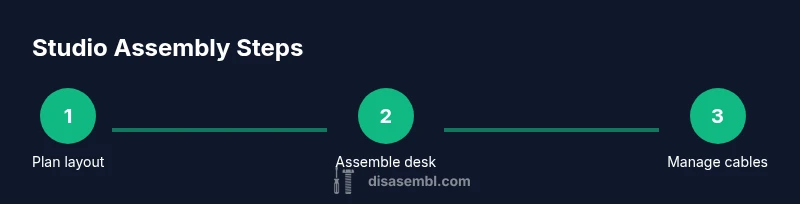
Layout planning is the backbone of a productive studio. Consider work zones: computing and editing, recording or crafting, and storage. Map the room on graph paper or a planning app, note doorways, outlets, and natural light. Place the desk near power, ensure chair clearance, and leave space for movement. The goal is to create smooth transitions between tasks and to avoid bottlenecks when equipment runs simultaneously. A modular approach—adjustable desks, movable racks, and reversible air flow—lets you reconfigure as projects evolve. Disasembl's method emphasizes clarity of function, so you can quickly switch from creative work to collaboration without rearranging the whole room.
Essential components and layout options
Choosing the right desk is foundational. Options range from rigid tables to modular systems with height adjustability. Pair a sturdy desk with monitor arms that position screens at eye level, reducing neck strain. Add an ergonomic chair with adjustable lumbar support, seat depth, and armrests. Storage should be accessible without clutter: think vertical shelves, under-desk drawers, and tool organizers. Lighting is equally important; a mix of ambient and task lighting reduces eye strain. For power and data, plan outlets, surge protection, and cable management accessories. Disasembl guides emphasize compatibility between components—choose pieces that fit your space and leave room to expand as your toolkit grows.
Desk and workstation assembly basics
In this phase you’ll assemble the core desk or desk frame and secure the top. Start by laying out all components and checking hardware against the parts list. Use a level to ensure the frame sits flat, then tighten bolts incrementally to avoid twisting. If installing a monitor arm, attach it before populating the desk with devices to keep access clear. Remember to test stability as you go, particularly if the desk will bear heavy monitors or audio gear. Label the sections so future maintenance is quick and easy.
Monitor placement, seating, and ergonomic alignment
Position monitors 20-28 inches from your eyes, with the tops at or slightly below eye level for neutral neck posture. Align the primary monitor directly in front of you and secondary screens to the side to minimize head turning. Adjust your chair height so your feet rest flat and thighs are parallel to the floor. Consider a sit-stand setup if you plan long sessions and incorporate anti-fatigue mats where appropriate.
Storage, accessories, and future-proofing
Add shelves and drawers that keep tools within arm’s reach but out of the main work zone. Use pegboards and hooks for quick access to frequently used items. Keep cables coaxial to the desk edge and route them through guides or raceways. Label cables at both ends, and create a simple color code for power, data, and audio lines. For future-proofing, choose modular hardware that can be swapped as tech evolves. Document serials and layouts so any future contributors can reproduce your setup.
Cable management and power planning
A clean cabling system improves safety and aesthetics. Start with a central power strip or surge protector placed near the desk and away from water. Route cables through raceways or cable sleeves and secure them with ties at regular intervals. Leave slack where devices connect to avoid tension but avoid long stretches that create tripping hazards. Use labeled, color-coded cables so you can identify each line quickly during troubleshooting.
Safety, maintenance, and common pitfalls
Safety involves unplugging equipment before making changes and avoiding daisy-chains on power strips. Keep liquids away from electronics and use heat-resistant mats for warm gear. Schedule periodic checks: tighten fasteners, inspect cables for wear, and clean dust from vents. Common mistakes include overloading outlets, underestimating cable length, and neglecting acoustic treatment; address these by planning in advance and testing the setup with a typical workflow.
Customization options to grow with your needs
Your studio should adapt as your projects evolve. Consider adjustable desks, modular storage, and mountings for upcoming gear. Add acoustic panels, microphone stands, and a rack unit that you can repurpose later. Document your configuration, keep receipts for future upgrades, and maintain a change log. This forward-looking approach keeps your space flexible and ready for new tools.
Tools & Materials
- Allen wrench set(For bolts and brackets within modular desks and mounts)
- Screwdriver set (Phillips & flat-head)(Include multiple sizes to fit various hardware)
- Measuring tape(At least 8 feet (2.5 meters) for room planning)
- Level(Ball or spirit level to ensure flat surfaces)
- Pencil or marker(Label parts and layout positions during planning)
- Cable ties(Assorted sizes for front-to-back routing)
- Power drill with screwdriver bits(For faster assembly and mounting hardware)
- Desk or work surface(Stable, spacious; consider 48–72 inches wide)
- Monitor arms(Adjustable; supports ergonomic screen placement)
Steps
Estimated time: 90-120 minutes
- 1
Assess space and define zones
Survey the room, measure boundaries, and outline zones for desk, storage, and seating. Create a rough layout on paper or a planning app to visualize traffic flow and future upgrades.
Tip: Take measurements from doorways to ensure chairs can roll in and out without obstruction. - 2
Choose a desk and arrange the base
Select a desk type (modular or fixed) and assemble its base on the floor. Check for levelness before attaching the top and ensure cable access from the back.
Tip: Use a level to verify the frame sits flat to prevent wobble. - 3
Mount monitor arms and set up primary devices
Attach monitor arms to the desk or mount on a stand, then position the primary monitor at eye level. Route power and data cables behind the desk to keep the surface clear.
Tip: Loosen joints first to find the most comfortable position, then tighten securely. - 4
Install storage and accessories
Place shelves, drawers, and pegboards within easy reach of your main workstation. Mount accessories like microphones or lamps where they won’t obstruct movement.
Tip: Leave space behind devices for air circulation and heat dissipation. - 5
Plan and route cables safely
Group similar cables, use raceways or cable sleeves, and label both ends. Keep data and power lines separate when possible to reduce interference.
Tip: Avoid tight bends; give each cable some slack to prevent wear. - 6
Test ergonomics and finalize setup
Check chair height, monitor height, keyboard distance, and reach. Make final adjustments to lighting and foot placement for long sessions.
Tip: Record measurements so future changes are quick and accurate.
Got Questions?
What is the first step to assemble a studio?
Start with space planning: measure the room, define zones, and sketch a rough layout. This ensures the furniture fits and the workflow remains efficient.
Begin with space planning to set a solid foundation for your studio.
Which tools are essential for starting?
You’ll need a basic toolkit with screwdrivers, a level, measuring tape, and cable management accessories. A drill and Allen keys greatly speed up assembly.
Keep a simple toolkit ready for the core setup.
How can I manage cables effectively?
Plan cable routes from the start, use raceways or clips, and label ends. Keep power and data cables separate to reduce interference.
Label cables and use raceways for a clean, safe setup.
How long does it take to set up a studio?
A typical basic studio setup can take about an hour or two, depending on room size and components. A modular approach speeds this up.
Most setups take a couple of hours with a modular approach.
What safety considerations should I know?
Unplug equipment before changes, avoid water near electronics, and use surge protection. Keep walkways clear and secure heavy items to prevent tipping.
Safety first: unplug, secure, and keep things dry.
Watch Video
What to Remember
- Plan layout before buying furniture
- Prioritize ergonomic placement of monitor and chair
- Label and route cables for safety and easy maintenance
- Test setup with a typical workflow before finalizing
- Document configuration for future upgrades