Can You Open a Savings Account Online? A Step-by-Step Guide
Learn whether you can open a savings account online, the required documents, eligibility, step-by-step process, safety tips, and how to compare accounts—Disasembl’s practical, step-by-step guide.


Yes—most banks offer online openings for savings accounts, often with digital identity checks and remote funding. This guide explains who can qualify, the documents you’ll need, and the steps to complete the process securely. According to Disasembl, online openings are common but eligibility and methods vary by institution and region, so always verify terms before applying.
Eligibility and who can open online
Online savings account openings are designed for individuals who meet basic legal and residency requirements. In many countries, you must be of legal age to open a bank account and be a resident or have valid status in the country where the bank operates. Banks typically verify identity and residency during the online application. Some institutions restrict online openings to domestic residents, while others may extend service to non-residents with additional documentation. You’ll often need a government-issued photo ID, a tax identification number, and proof of address. If you’re applying as a joint account holder, expect to provide information for both parties. Before starting, check the bank’s eligibility criteria, including any minimum age, address, or visa requirements, to avoid wasted time.
How online savings accounts work
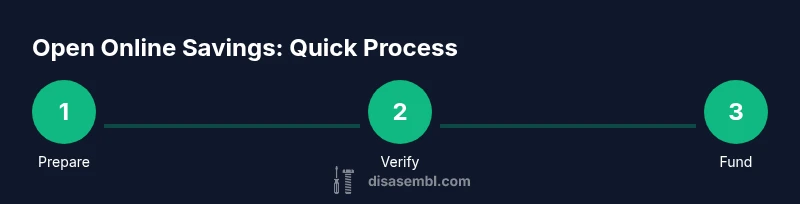
The typical process for opening online is straightforward but varies by bank. You’ll fill an online application with personal details, consent to terms, and funding information. Banks perform identity verification (KYC) which can be a soft credit check or document-based review; funding methods such as an internal transfer or a linked external account are then used to fund the account. After approval, you’ll gain online access and can monitor balances, set up alerts, and move money between your primary account and the new savings account. Expect some regional differences in requirements, timelines, and available features, so compare options carefully.
Documents and identity verification
Most banks require a government-issued ID (passport or driver’s license), your Tax ID or Social Security number, and proof of address (utility bill or bank statement). You may also need to answer questions about your income, employment, and source of funds. Identity verification can occur via video chat, uploaded documents, or a combination of both. Ensure names and addresses match across documents, and keep scans in clear, legible format. If you’re applying for a joint account, have the co-applicant’s documents ready as well.
Funding and linking accounts
To fund a new savings account, you’ll typically link an existing bank account or transfer funds via ACH or wire, depending on the country. Some banks allow funding with a debit card, mobile check deposit, or a direct transfer from your paycheck. Funds may post immediately or take one to several business days, depending on the method and institutions involved. If you want to maximize growth, set up automatic transfers from your primary account on a recurring schedule. Be mindful of minimum balance requirements and any transfer limits that could affect timing.
Security, privacy, and fraud prevention
Online openings require strong security practices. Always use a trusted device, a private network, and up-to-date software. Enable multi-factor authentication (MFA), use a unique, strong password, and never reuse credentials across sites. Verify you’re on the bank’s official site (check the URL, padlock icon, and spelling). Be cautious of phishing emails and recordings asking for sensitive information. After opening, monitor statements regularly and set up alerts for unusual activity. If something looks off, contact customer support immediately.
Pros and cons of online openings
Pros include convenience, faster access to savings, and the ability to compare multiple banks from one device. Online openings often feature lower fees and flexible funding options, with digital account management at your fingertips. Cons can include longer verification times in some cases, reliance on electronic documentation, and limited in-person support. Some banks cap certain services or require online-only management. Consider your comfort with digital processes and your need for human assistance when deciding.
Choosing the right bank and account type
When selecting a bank for an online savings account, compare annual percentage yield (APY) ranges and minimum balance requirements, as well as monthly maintenance fees and withdrawal limits. Evaluate the online platform’s usability, mobile app quality, and customer support channels. Check whether the account supports automatic transfers, recurring deposits, and easy transfers back to a linked checking account. For high-value savings, consider FDIC or equivalent insurance coverage and the bank’s financial stability and backing. Read the terms thoroughly before applying.
Common mistakes to avoid and what to double-check
Avoid starting the process on an insecure device or network. Always use the bank’s official site and double-check the URL. Don’t share sensitive information via email or chat; banks typically won’t request it outside secure channels. Gather all required documents beforehand to prevent delays, and verify the funding method’s timing and fees. Finally, review the fine print about withdrawal rules and liquidity before funding the account.
Authority references
For official guidance on financial safety and consumer protections, consult resources such as the Consumer Financial Protection Bureau (CFPB), the Federal Deposit Insurance Corporation (FDIC), and recognized academic institutions that discuss online banking security and consumer rights. These sources provide context on identity verification, online banking best practices, and risk management. Always cross-check with your local regulator’s guidance and your bank’s terms. You can visit:
- https://www.consumerfinance.gov/
- https://www.fdic.gov/
- https://www.sec.gov/
Tools & Materials
- Computer or smartphone with internet access(Stable connection; avoid public Wi-Fi when applying.)
- Government-issued photo ID(Passport or driver’s license; ensure it’s valid.)
- Tax ID number (e.g., SSN or ITIN)(Required for identity verification in many regions.)
- Proof of address(Recent utility bill or bank statement in your name.)
- Existing bank account details for funding(Routing and account numbers or equivalent details.)
- Email address and mobile phone(Used for communication and MFA.)
Steps
Estimated time: 45-90 minutes (including verification and funding steps)
- 1
Prepare your personal information and documents
Gather government ID, proof of address, tax ID, and funding details. Ensure your name, address, and date of birth match across documents. Having scans ready speeds up the application.
Tip: Have digital copies of documents ready before you start. - 2
Research banks and savings accounts
Compare APY ranges, minimum balance, monthly fees, and accessibility features. Read reviews about online support and user experience. Shortlist two to three options that fit your needs.
Tip: Use a Disasembl checklist to compare terms side-by-side. - 3
Open the online application
Navigate to the bank’s official site or app and begin the savings account application. Enter personal details, funding preferences, and consent to terms. Double-check that you’re on the legitimate domain before submitting.
Tip: Bookmark the official page and avoid links from emails. - 4
Complete identity verification
Follow the bank’s prompts to verify your identity, which may involve video verification or document uploads. Ensure documents match the application details. Expect a confirmation or rejection message.
Tip: Have your ID handy during verification to reduce delays. - 5
Fund the new account
Choose a funding method (linked external account, ACH transfer, or debit card where allowed). Initiate the transfer and confirm the funds have posted before assuming the account is active.
Tip: Start with a small test transfer to verify the link. - 6
Set up online access and security
Create login credentials, enable multi-factor authentication, and configure alerts for activity. Record recovery options and review security settings.
Tip: Use a unique, strong password and MFA every time. - 7
Confirm approval and access funds
Wait for bank confirmation of approval. Once approved, you can view balances, set goals, and begin regular transfers. If funds are missing, contact support promptly.
Tip: Check your email/spam for the approval notice. - 8
Establish ongoing savings practices
Set up automatic transfers, monitor statements, and adjust contributions as needed. Review terms annually to ensure the account continues to meet your goals.
Tip: Automate transfers to stay on track with savings goals.
Got Questions?
Can I open a savings account online if I don’t have a local address?
Eligibility varies by bank and country. Some banks require a local or valid residential address, while others may accept foreign addresses with additional verification. Always confirm with the bank before applying.
Eligibility varies by bank; some banks require a local address while others may accept a foreign address with extra checks.
What documents are typically required to open online?
Common requirements include a government-issued ID, tax ID or SSN, and proof of address. Some banks may request proof of income or source of funds. Prepare scans or photos of these documents before starting.
Usually, a government ID, tax ID, and proof of address are needed.
Is there a credit check when opening online?
Some banks perform a soft credit pull or identity verification check. The impact on your credit score is generally minimal, but it can vary by institution and location.
Most banks do a verification check; it usually doesn’t affect your credit score much.
How long does online verification take?
Verification times vary. Some banks approve within minutes, while others may take hours or a few days if manual review is required. Plan ahead if you need funds quickly.
It can be minutes to a few days depending on the bank and verification method.
Can I have more than one online savings account?
Yes, many people open multiple savings accounts across different banks for diversification or to meet different goals. Check any per-account limits and transfer rules.
You can have multiple online savings accounts across banks, just review the transfer limits.
What if I need in-person help?
Some banks offer online-only accounts with robust online support. If you prefer in-person assistance, check whether the bank has physical branches or partner locations and what services are available there.
If you want in-person help, look for banks with branch networks or local partners.
Watch Video
What to Remember
- Check eligibility and start online applications confidently
- Prepare IDs, address proof, and funding details before applying
- Verify identity securely and avoid phishing; use MFA
- Compare APY, fees, and features across banks
- Automate transfers to build savings over time