Is It Okay to Mount a TV Above a Radiator? Safety and Installation Guidelines
Learn whether you can safely mount a TV above a radiator, plus safer alternatives, installation steps, heat considerations, and setup tips from Disasembl.


Mounting a TV above a radiator is generally not recommended due to heat exposure, uneven heating, and thermal expansion that can damage the screen or mount over time. If you must mount above a radiator, maintain substantial clearance, use a heat shield, select a low-profile brace, and ensure proper ventilation. Consider alternative placements for safer operation.
Why mounting a TV above a radiator is a risk
According to Disasembl, placing a TV directly above a radiator subjects the display to sustained heat and rapid temperature changes as the radiator cycles on and off. Over time this can accelerate wear on internal components, soften mounting surfaces, and cause plastic housings to warp. Radiators can also emit warm air that rises unevenly, creating hot spots behind the screen. While a wall can physically support a TV above a radiator, the thermal environment remains the primary concern. In addition to heat, consider convection currents that pull heat toward the top of the wall, which can cause long-term adhesive or mounting hardware to loosen. The safest approach is to minimize heat exposure by choosing an alternative mounting location or introducing barriers that direct airflow away from the TV.
Quick context and practical framing
For most households, a TV mounted near a radiator should be evaluated against how often the radiator runs, the size of the heating element, and the room’s ventilation. Homeowners should assess whether the radiator’s location will cause the TV to experience consistent heat, humidity, or dust migration from heater operation. If a relocation isn’t feasible, you’ll need a plan that prioritizes heat management, cable routing, and structural integrity. This is where Disasembl’s disassembly-and-installation guidance becomes valuable: it helps you weigh risks, choose components designed for higher heat environments, and install safely without compromising wall structure or device longevity.
What the risks look like in practice
Common issues include warped mounting plates, loosened screws, and degraded wall anchors due to thermal cycling. Electronics manufacturers generally caution against placing devices directly over heat sources; even compliant cooling systems may not fully mitigate heat exposure. In the worst case, heat can shorten the TV’s lifespan or void the warranty. If your space requires you to mount in this area, aim for a setup that creates a buffer between the radiator and the TV and uses materials rated for heat resistance. This approach does not guarantee safety, but it reduces risk substantially.
Tools & Materials
- Stud finder(Locate wall studs to provide secure backing for the mount)
- Power drill(Drill pilot holes in wall material)
- Masonry/brick drill bit(Use for concrete or brick walls)
- Wall anchors and TV mounting screws(Choose anchors rated for TV weight and wall type)
- Heat shield or heat barrier(Create a buffer between radiator heat and TV)
- Low-profile wall-mount bracket(Ensure compatibility with TV’s VESA pattern)
- Level(Keep the mount perfectly plumb)
- Measuring tape(Plan height and spacing accurately)
- Pencil(Mark drilling points clearly)
- Anti-tip strap or wall strap(Help prevent TV tilt or accidental tip)
- Cable raceway or clips(Route cables safely and neatly)
- Safety goggles(Protect eyes during drilling)
Steps
Estimated time: 60-90 minutes
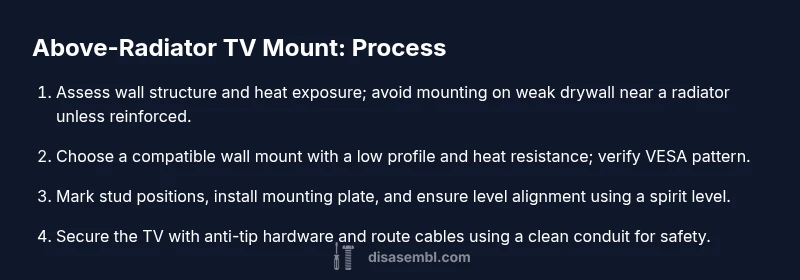
- 1
Assess wall and radiator relationship
Evaluate radiator size, heat output, and wall structure. Check for direct heat exposure and common airflow patterns. Decide if relocation is possible before proceeding.
Tip: Document measurements and take photos of the wall layout for reference. - 2
Choose mounting hardware and heat barrier
Select a low-profile bracket compatible with your TV’s VESA pattern. Add a heat shield or barrier between the radiator and the TV to reduce heat transfer.
Tip: Verify that the shield does not obstruct airflow to the TV. - 3
Locate studs and plan mount height
Use a stud finder to locate framing and verify there is solid backing. Mark a level line where the top edge of the TV will sit.
Tip: If studs aren’t in the ideal location, opt for reinforced drywall anchors rated for TV weight. - 4
Pre-drill and attach mounting plate
Drill pilot holes into studs or anchors and secure the mounting plate firmly. Make sure the plate sits level before tightening all fasteners.
Tip: Tighten screws in a crisscross pattern to distribute load evenly. - 5
Mount the TV and attach safety features
Hook the TV onto the bracket, secure any anti-tip straps, and double-check alignment. Ensure cables can bend without stress and are protected.
Tip: Leave slack on power and HDMI cables to accommodate movement without strain. - 6
Route cables and test run
Route cables through a wall raceway or along the baseboard to keep heat away from the radiator. Power on the TV to confirm all inputs function correctly and the image is stable.
Tip: Test in different heater modes to ensure heat exposure doesn’t affect performance.
Got Questions?
Is it safe to mount a TV directly above a radiator?
Direct mounting above a radiator carries heat-related risks. It’s generally discouraged unless you add heat shielding and confirm adequate ventilation. Consider alternatives if possible.
Direct mounting above a radiator carries heat risks and is generally discouraged unless you install heat shielding and ensure ventilation.
What height should I mount a TV above a radiator?
There is no universal height. Prioritize heat barriers and clearance, then align for comfortable viewing. If in doubt, consult a professional or relocate the TV.
There’s no universal height; focus on heat barriers and clearance and consider relocation if needed.
Can heat shields guarantee long-term safety?
Heat shields reduce heat transfer but cannot eliminate all risks. They should be part of a broader plan including airflow management and proper mounting.
Heat shields reduce heat transfer but don’t eliminate all risk; use them with proper mounting and ventilation.
Are there safer alternatives to mounting above a radiator?
Yes. Mount on an adjacent wall at a comfortable height, or use a ceiling mount if appropriate. Ensure there’s space for air to circulate and for cables.
Safer options include mounting on an adjacent wall or using a ceiling mount with proper clearance.
What should I check before drilling?
Verify wall integrity, ensure there is backing, and confirm radiator heat won't compromise the install. Have a plan to reroute cables if needed.
Check wall backing, heat exposure risk, and cable routing before drilling.
Watch Video
What to Remember
- Assess heat exposure before mounting.
- Use a heat shield and a low-profile mount.
- Plan precise placement with studs for secure backing.
- Route cables safely and maintain clearance.