How to Use an Assembler: A Practical DIY Guide
Learn how to use an assembler safely and effectively for furniture and electronics enclosures. This Disasembl guide covers setup, operation, checks, and finishing touches to ensure sturdy, repeatable results.


Using an assembler means selecting the right tool, aligning parts precisely, and tightening fasteners to spec so assemblies stay sturdy. This guide shows you how to prepare, operate, and verify a clean, safe assembly with an assembler for furniture or electronics housings. You’ll need a stable workspace, basic hardware, and safety gear before you begin. Expect a practical, step-by-step approach that reduces wobble, avoids stripped threads, and delivers repeatable results.
What is an assembler and when to use it
An assembler is a handheld or benchtop tool designed to assist in joining parts by aligning components and applying consistent fastener torque. For DIYers, an assembler helps reduce misalignment, cross-threading, and stripping, delivering repeatable results. According to Disasembl, using a dedicated assembler can improve consistency across repeated projects, especially when assembling flat-pack furniture or modular devices. When a project requires precise alignment and even force, an assembler is a wise investment. In this guide you’ll learn when to choose an assembler: for furniture frames, appliance housings, electronics enclosures, or anywhere parts must line up perfectly before fasteners are driven. The benefit is speed without sacrificing accuracy, and the risk is over-torquing or using the wrong head. Always check the manual and the recommended torque range for your specific assembler and parts. This approach is also valuable for repair work, where reseating panels or casings should be done without forcing components. By basing your method on careful planning rather than rush, you’ll reduce the risk of damage and the need for rework. Disasembl’s practical philosophy emphasizes method, safety, and repeatable results, especially for homeowners tackling DIY assembly projects.
Pre-assembly planning: parts, layout, and labeling
Organization reduces errors. Start by laying out all panels, hardware, and connectors on a clean workspace. Group screws by size and length, bag or label fasteners, and identify which parts have orientation marks or alignment features. A labeled map or photo reference helps avoid rework later. Disasembl analysis emphasizes the value of upfront planning, so take time to verify quantities and match parts to the instruction sheet before you lift a tool. If you’re working on a large piece, consider a second station for temporary assembly to test fit before final tightening. Don’t forget to read the instruction sheet thoroughly; many flat-pack systems rely on a specific order. By investing time in planning, you’ll shorten build time and reduce mistakes. Label or bag fasteners in the order they’ll be used to keep joints clean and predictable.
Step-by-step operation: setup to final tightening
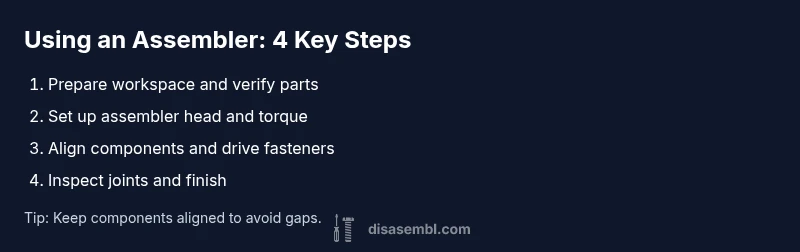
Prepare your workspace, verify the assembler’s head, and confirm you have the correct fasteners. Set the assembler to the appropriate torque range recommended by the manufacturer. Begin with the first major joint, aligning components and starting with finger-tight screws or bolts. Use gradual, even pressure as you tighten, moving across the joint in a crisscross pattern when applicable. Stop periodically to check alignment with a square or level; misalignment can compound if you rush. Continue adding components in the specified order, testing fit as you go so later steps aren’t blocked by a misaligned base. When you approach the final fasteners, reduce the intensity to prevent over-tightening and secure everything with the final symmetric pattern. After assembly, inspect joints for gaps and verify that moving parts operate freely without binding. If you detect any wobble, revisit the affected joint and re-torque using a consistent pattern. A clean, deliberate routine minimizes mistakes and ensures repeatable results. Disasembl’s guidance stresses safe operation and methodical checks at every stage.
Quality checks and finishing touches
With the major joints secured, perform a final inspection of each connection. Confirm fasteners sit flush and threads are intact without signs of stripping. Check for even gaps along joints and ensure the assembly sits squarely on its base. If the design calls for adjustable feet or shelves, verify levelness and proper seating. Wipe away dust and debris to prevent grit from affecting moving parts. Apply any required finishes or edge guards as specified in the instruction sheet. The goal is a clean, safe finish that maintains stability under typical loads. If you notice any looseness, re-torque the affected joints to the recommended specification and re-check alignment. Consistency here is what makes assemblies feel solid and reliable over time.
Common mistakes and how to avoid them
Rushing through steps is the most common pitfall. Take time to align each component before tightening. Skipping the planning phase leads to missing parts or misordered steps. Using mismatched screws or incorrect bit heads causes cam-out or damage to the fasteners. Never over-tighten; too-tight connections can crack panels or distort frames. Finally, neglecting safety gear—gloves, eye protection, and a stable work surface—risks injury and imperfect results. By slowing down at key moments and verifying orientation and fit before final tightening, you’ll avoid these frequent errors and achieve a higher-quality build.
Maintenance and longevity: caring for your assembler and the assembly
After use, wipe the tool clean to remove dust and residues that can affect performance. Store heads and bits in a labeled case to prevent loss or mix-ups. Periodically inspect moving parts for wear; replace worn jaws or bits as needed to preserve precision. Keep torque settings within the ranges specified by the manufacturer to maintain consistent results across projects. When not in use, store in a dry environment to avoid rust on metal components. Regular checks of both the assembler and the assembled product help extend life and performance, ensuring repeatable results across future projects.
Tools & Materials
- Assembler (handheld or benchtop)(Ensure it supports the common fasteners for your project and has adjustable torque if available.)
- Screwdriver set (Phillips and flat-head)(Aids in initial alignment and driving non-standard fasteners.)
- Hex/Allen keys(Keep a full range: 1.5–6 mm commonly needed.)
- Torque wrench or torque-limiting bit(Use the recommended torque to prevent overtightening.)
- Clamps(Hold components steady while you start fasteners.)
- Measuring tape(Check alignment and spacing as you progress.)
- Level or square(Verify square alignment on critical joints.)
- Safety gear (gloves, safety glasses)(Protect hands and eyes during tightening and trimming.)
- Workbench or stable mat(A flat, steady surface reduces misalignment.)
- Labeling supplies(Bag or tag fasteners in assembly order.)
Steps
Estimated time: 30-60 minutes
- 1
Prepare your workspace
Clear the area, lay a protective mat, and ensure a stable surface. Inspect the assembler head and bits for damage. Verify you have all required parts, and set up a labeled parts tray.
Tip: Place a marker board nearby to map part order for large builds. - 2
Sort and label parts
Group hardware by size and type. Label each bag with its intended step to prevent cross-use. Confirm orientation guides on parts match the instructions.
Tip: Use color-coded labels to speed up identification during assembly. - 3
Test fit and dry-run
Position components without fasteners to verify alignment. If something feels off, adjust before any tightening occurs to prevent rework.
Tip: A dry-run can reveal misprints or oversights early. - 4
Set up the assembler
Attach the correct head or bit for your fasteners and set the torque range within the manual guidance. Run a quick test on scrap material if possible.
Tip: Always verify torque range before starting the main joints. - 5
Join the first major joints
Begin with the base frame or largest panels. Start with finger-tight connections, then gradually tighten to spec in a crosswise pattern where applicable.
Tip: Tighten in small increments and check alignment after each stage. - 6
Proceed with remaining components
Add subsequent sections in the prescribed order. Maintain alignment and re-check levels or square as you go.
Tip: Keep intermediate joints clean and free of debris to avoid binding. - 7
Final tightening and inspection
Finish by tightening the last fasteners to the recommended torque. Inspect all joints for gaps, wobble, and smooth operation of moving parts.
Tip: If you detect play, revisit the affected joints and re-tighten with even pressure.
Got Questions?
What is an assembler and why should I use one?
An assembler is a tool designed to join parts by aligning components and applying controlled fastener torque. It improves accuracy and speed in furniture and device assemblies, reducing misalignment and cross-threading.
An assembler helps you join parts accurately and quickly, reducing mistakes.
Can I substitute a screwdriver for an assembler?
You can, but it’s slower and harder to maintain consistent torque. An assembler ensures uniform tightness and reduces cross-threading, especially on repetitive joints.
Yes, you can, but it’s slower and less consistent.
What projects benefit most from using an assembler?
Projects with repetitive joints and precise alignment, such as flat-pack furniture, drawer systems, or electronics enclosures, benefit most from using an assembler.
Projects with many similar joints benefit the most.
How do I know the torque is correct?
Follow the manufacturer’s torque range for each fastener and use a torque-limiting head or torque wrench if needed.
Follow the recommended torque and use a torque wrench when appropriate.
How should I maintain or store the assembler?
Clean after use, store with bits removed, check calibration if applicable, and replace worn parts per the manual.
Clean it, store it properly, and check for wear.
Watch Video
What to Remember
- Prepare a clean workspace before starting
- Label hardware and plan assembly order
- Check alignment before final tightening
- Use correct torque to prevent damage
- Inspect finished joints for wobble and gaps