How to Get Assembled Code: A Practical Step-by-Step Guide
Learn how to obtain assembled code legally and safely. This practical guide covers assemblers, disassembly basics, and step-by-step workflows to produce readable assembly from owned sources or binaries.


To get assembled code, you need legitimate access to the original source or a binary you own, plus the right tools to generate or view assembly. This guide walks you through legal access, choosing an assembler, and a step-by-step workflow to produce readable assembly or disassembly outputs. Always verify license rights before extracting or redistributing code.
Understanding Assembled Code and Why You Need It
When you start exploring assembled code, you are peering under the hood of software. Assembled code is the machine-level representation that a processor executes, derived from human-readable source via an assembler or compiler. For many DIY projects, understanding this output helps optimize performance, diagnose compatibility issues, and verify that a binary behaves as intended. If you’re asking how to get assemble code, you’re really asking how to access or generate the exact instructions a program runs on your hardware, within legal bounds. According to Disasembl, the best learning path begins with clear ownership and permission to inspect or modify code. This ensures you stay compliant while you learn how the pieces fit together. In practice, you’ll typically obtain assembled code in one of two ways: either by compiling from your own source code with a suitable assembler, or by disassembling a binary you own or have rights to analyze. Both approaches yield the same fundamental artifact: a sequence of mnemonic instructions, addresses, and data definitions that the CPU will execute. For beginners, it’s important to separate the concepts of the assembler (the tool that turns assembly language into machine code) from the disassembler (the tool that translates machine code back to readable assembly).
Understanding Assembled Code and Why You Need It
Tools & Materials
- Reliable computer (Windows/macOS/Linux)(With internet access; ensure you have admin rights to install software)
- NASM (Netwide Assembler)(Install from official repository; supports multiple output formats)
- GNU Binutils (objdump, as)(Required to assemble/disassemble and inspect machine code)
- C/C++ compiler (gcc/clang)(Helpful if starting from high-level source to generate assembly)
- Text editor / IDE(For writing assembly source and annotating outputs)
- License and ownership documentation(Proof of rights to inspect or modify the binary or source)
- Sample open-source project(A safe, legal starting point to observe assembly generation)
Steps
Estimated time: 2-4 hours
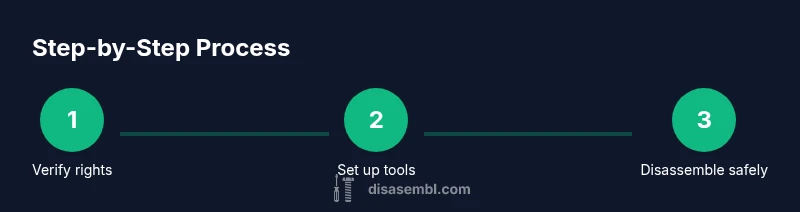
- 1
Verify legal rights
Confirm you have the right to inspect or modify the code, whether it is your own project, open-source with a permissive license, or a binary you own. Document licensing, ownership, and any redistribution constraints before proceeding.
Tip: When in doubt, consult the license and keep a record of permission. - 2
Set up your toolchain
Install NASM and GNU Binutils, and optionally a C/C++ compiler. Verify that each tool runs from the command line by querying its version.
Tip: Use official sources to avoid fake installers; verify checksums when provided. - 3
Choose your data source
If starting from source, prepare the assembly file you want to compile. If starting from a binary, ensure you have rights to analyze it and identify the target architecture.
Tip: Know your target: x86-64, ARM, or another architecture; wrong architecture yields unreadable output. - 4
Assemble from source (optional)
If you have the original assembly, assemble it to an object file using NASM, producing readable machine instructions for your platform.
Tip: Use -f elf64 or the appropriate format for your OS to simplify later inspection. - 5
Disassemble a binary (when needed)
If you’re analyzing a binary you own, employ objdump or a dedicated disassembler to convert machine code back to readable assembly. Use appropriate flags to improve readability.
Tip: Consider using the Intel syntax (-M intel) for easier reading if you’re familiar with it. - 6
Annotate and verify
Add comments to the disassembled code to explain each instruction’s purpose and verify behavior against expected outcomes or test results.
Tip: Keep a changelog of what you added or interpreted during the process. - 7
Document and store
Store your assembly outputs, annotations, and verification results in a structured repository for future reference.
Tip: Organize by project and architecture to avoid confusion later.
Got Questions?
What is assembled code and why should I learn it?
Assembled code is the machine-readable instructions that run on hardware. Learning it helps diagnose performance issues, verify behavior, and understand software at a low level.
Assembled code is the machine instructions that run on hardware. Learning it helps you diagnose issues and understand software at a low level.
Is it legal to obtain assembled code from binaries I own?
Yes, when you own the binary or have explicit rights to analyze it. Always respect licensing and avoid distributing modified binaries without permission.
Yes, if you own the binary or have explicit rights. Respect licensing and avoid distributing modified binaries without permission.
Which tools are essential for viewing assembly?
Key tools include NASM for assembling, and GNU Binutils (objdump, as) for disassembly and inspection. A text editor helps annotate outputs.
You’ll want NASM and GNU Binutils like objdump, plus a text editor for notes.
Can I learn assembly by studying open-source projects?
Absolutely. Open-source code provides safe, real-world examples of how high-level constructs translate to assembly.
Open-source projects are great for seeing how code translates to assembly.
What are common mistakes when obtaining assembled code?
Misinterpreting non-instruction data, overlooking architecture differences, and ignoring licensing can lead to incorrect conclusions.
Common mistakes include misreading data, not considering architecture differences, and ignoring licenses.
Watch Video
What to Remember
- Know your rights before accessing code
- Choose the appropriate toolchain for your goal
- Open-source sources are safe starting points
- Always verify license terms and integrity
- Document your workflow for reproducibility