How to Disassemble a Monitor Arm: A Complete Guide
Learn how to safely disassemble a monitor arm, detach from the desk, remove the VESA plate, and separate arm segments with practical tips, tool checks, and organization strategies from Disasembl.


Learn how to disassemble monitor arm safely and efficiently, including detaching from the desk mount, removing the monitor, and taking apart the arm sections. This quick answer outlines the essential steps, safety checks, and common pitfalls, so you can plan your disassembly with confidence and minimize the risk of damage to hardware or surfaces.
Safety-first approach to disassembling a monitor arm
Disassembling a monitor arm requires care to avoid damage to the desk, wall, monitor, and the arm itself. According to Disasembl, the safest disassembly starts with a clear workspace, unplugging all cables, and supporting the monitor before disturbing any fasteners. Begin by identifying your arm type—clamp, grommet, or freestanding pole—and noting how the VESA plate is attached to the monitor. The goal is to minimize torque and avoid sudden pulls that could loosen mounting bolts or snap the arm joints. Keeping a tidy workspace helps you track screws and small parts as you remove them. Plan your sequence so you detach non-critical components first, then move to the mounting base, and finally separate the arm sections. A calm, methodical approach reduces the risk of injury and makes reassembly straightforward if you choose to reuse the components.
Evaluating your arm design and potential hazards
Arm designs vary: some use a desk clamp, some use a through-desk grommet base, and others are freestanding with a stand. Gas-spring or rigid arms affect how you approach disassembly, since gas springs store potential energy. If your arm has a gas spring, release any tension slowly according to the manufacturer’s guidance to avoid sudden movement. Always wear eye protection if you anticipate loose screws or metal-on-metal contact. Keep your fingers clear of joint areas while loosening fasteners, and place removed parts in labeled containers to prevent mix-ups during reassembly.
Understanding the components you’ll handle
Typical monitor arm components include the monitor plate (VESA plate), the upper and lower arm segments, pivot joints, mounting clamp or grommet base, and any cable management hooks. Screws may be Phillips, hex (Allen), or Torx; sizes vary by model. Before touching fasteners, take a quick photo of how parts are connected; labeling makes reassembly easier. Understanding each component’s role helps you decide the order of disassembly—usually start with the monitor attachment, then work your way to the arm joints and base.
Planning the sequence before you begin
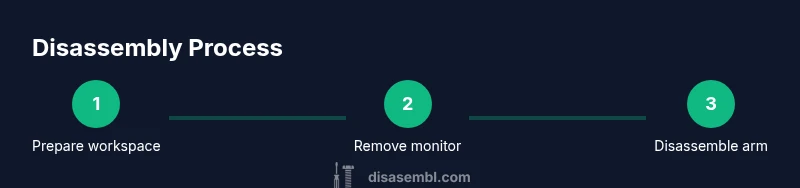
A structured plan reduces surprises. List the steps: (1) power down and unplug, (2) remove monitor from the arm, (3) unfasten the arm from the desk clamp or grommet, (4) detach arm segments, and (5) store components in labeled containers. If your arm uses multiple fastener types, prepare the corresponding tools in advance. Having a plan also makes it easier to recover parts if you’re swapping to a different desk setup later.
How to protect surfaces and components during disassembly
Use a soft mat or cloth on the desk to prevent scratches to the monitor, VESA plate, and arm joints. Place screws and small parts in labeled resealable bags or containers to keep them organized. Place larger components on the mat and avoid letting them rest near the edge of the desk, where a light bump could cause a fall. For metallic parts, wipe away dust and fingerprints to preserve finish and prevent corrosion, especially if the arm components will be stored for an extended period.
Final checks before putting the disassembled parts away
Double-check that all screws and bolts are accounted for. If you’re saving the arm for reassembly, group fasteners by component type and keep any helpful tools—Allen keys, screwdrivers, torques—nearby. Inspect the VESA plate and arm joints for signs of wear, and consider applying a light lubricant to moving joints if you’ll reuse the arm later. Conclude by labeling containers and placing them in a known storage location for easy retrieval later.
Tools & Materials
- Phillips head screwdriver (PH2)(Used for most screws on monitor arms)
- Hex/Allen wrench set(Sizes like 2mm, 3mm, 4mm for set screws and bolts)
- Torx driver (T20 or T25)(Only if arm uses Torx screws)
- Adjustable wrench(Helpful for stubborn nuts on desk clamps)
- Pliers or needle-nose pliers(Grip small parts, remove stubborn clips)
- Cable ties or labels(Keep cables organized and parts identified)
- Soft cloth or mat(Protect desk surface and components)
- Camera or phone for labeling(Capture orientation for easier reassembly)
- Label stickers and marker(Mark part origins and orientation)
Steps
Estimated time: Estimated total time: 30-45 minutes
- 1
Power down and unplug
Ensure the computer and monitor are powered off and unplugged. Clear cables and place them out of the way to prevent accidental tugs during disassembly. This protects both you and the equipment from electrical hazards and cable strain when you remove components.
Tip: Have a second person assist if the monitor is large or heavy. - 2
Detach the monitor from the VESA plate
Support the monitor with one hand while you unscrew the VESA plate screws from the back of the monitor. Remove the plate and set it aside, keeping screws organized. This step isolates the monitor from the arm so you can handle the arm without the weight of the screen.
Tip: Keep a small container for the screws to prevent loss. - 3
Release the monitor from the arm
Gently lift the monitor off the VESA plate or release the plate from the arm if it uses a quick-detach mechanism. If you feel resistance, double-check screws and detent pins. Lower the monitor slowly to avoid dropping it.
Tip: Never twist the monitor while detaching; stabilize it with both hands. - 4
Loosen the desk clamp or grommet base
If your arm is desk-clamped, loosen the clamp bolts and support the arm as you remove the base. For grommet bases, unscrew the mounting nut from beneath the desk. Remove the base gently to avoid scratching the desk surface.
Tip: Keep base bolts with the base so they don’t get mixed up with other screws. - 5
Disassemble the arm segments
Starting from the outermost segment, unscrew the joints and disconnect the segments one by one. Keep track of each joint’s orientation and order; use a tray or labeled bags to avoid confusion during reassembly.
Tip: Photograph each connection before unscrewing to simplify later reassembly. - 6
Remove the VESA plate from the arm
If the VESA plate is attached to the arm, detach it by removing the screws that connect the plate to the arm. Store the plate and fasteners together to maintain alignment for future use.
Tip: Inspect plate screws for wear; replace if threads are damaged. - 7
Clean and prepare for storage
Wipe metal surfaces to remove dust and fingerprints. Place components in labeled bags or containers and store in a dry, dust-free area. Consider adding desiccant packets if you expect long-term storage in a humid environment.
Tip: Avoid stacking heavy parts on top of smaller components to prevent deformation. - 8
Verify all parts and plan reassembly
Before closing, verify that you have all screws, washers, and brackets. Review your photos and notes to confirm part orientation and connection order. Store the parts with a simple reassembly plan if you plan to reuse the arm later.
Tip: Place all parts in a single labeled bin to simplify future reassembly.
Got Questions?
What is the first step to disassemble a monitor arm?
Power down, unplug, and prepare a stable workspace. Then remove the monitor from the arm by detaching the VESA plate.
First, power down and unplug everything, then remove the monitor from the arm by taking off the VESA plate.
Do I need tools to disassemble a monitor arm?
Most arms require a screwdriver or hex keys; Torx might be needed for some models. Check the fasteners before starting.
Yes—usually a screwdriver or hex keys. Torx may be needed for some models.
How do I detach the arm from the desk clamp?
Loosen the clamp bolts while supporting the arm, then lift away. For grommet bases, remove the mounting nut beneath the desk.
Loosen the desk clamp bolts, hold the arm, and lift off. For grommets, unscrew the mounting nut under the desk.
What should I do with the screws and small parts?
Store screws in labeled bags, and photograph positions. This prevents lost hardware and aids reassembly.
Put screws in labeled bags and photograph where they came from.
Is it safe to disassemble without professional help?
Yes, it’s generally safe if you follow steps, unplug the monitor, and avoid forcing parts. Stop if something resists.
It's usually safe if you follow steps and disconnect power. If something resists, stop and reassess.
How can I tell if the arm is desk clamp or grommet based?
Check the base: a clamp clamps to the edge of the desk; a grommet base passes through a desk hole. That determines your disassembly approach.
Look at the base to tell if it's a clamp or grommet design.
Watch Video
What to Remember
- Plan before touching screws
- Label and organize parts for easy reassembly
- Work slowly to avoid damage to desk and components
- Document orientation with photos for reassembly